Home / Features

Features that make every slideshow shine

A point-by-point tour of what you can do with SlideshowVideoMaker, with screenshots of each tool.

FEATURE 01

Transitions & template packs

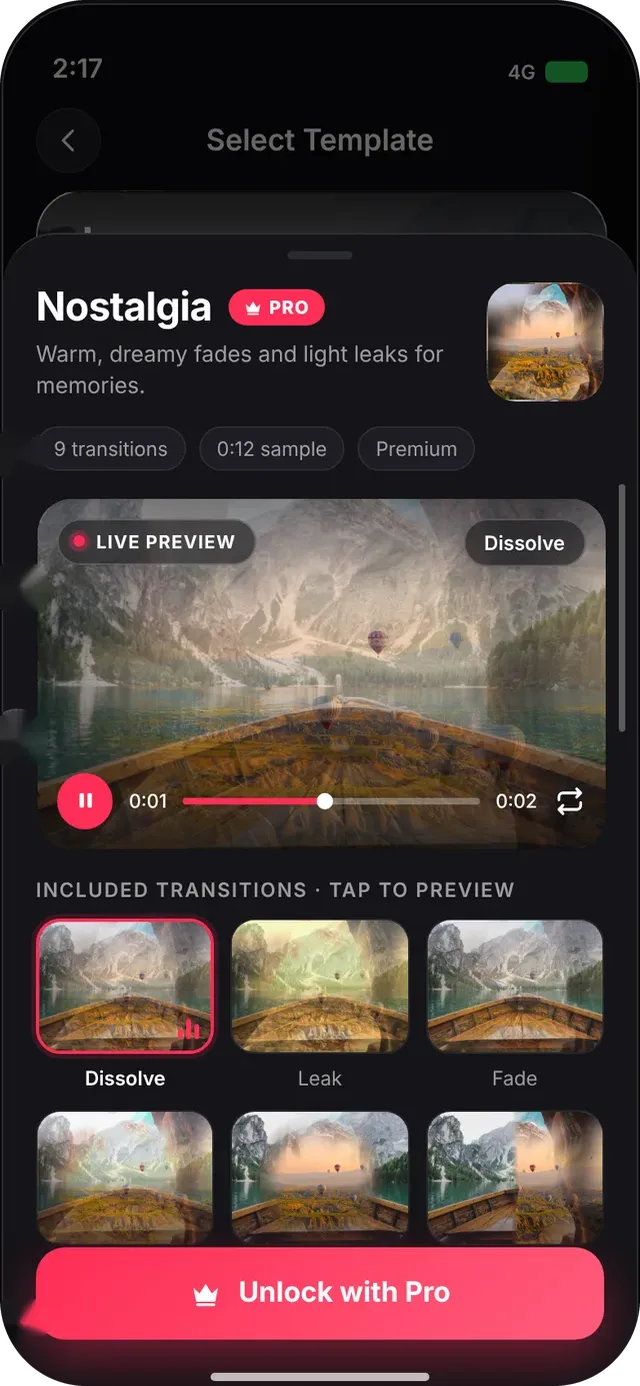
Make every cut feel intentional. Pick a transition for each pair of clips, or choose a ready-made template pack and watch it render in a live preview before you use it.

  • Browse All, Free, Pro and Favorites, with live-animated previews
  • Apply to all clips in one switch, with an adjustable duration
  • Template packs with a live preview, scrubber and loop
  • Premium packs marked with a PRO badge; free packs apply straight away
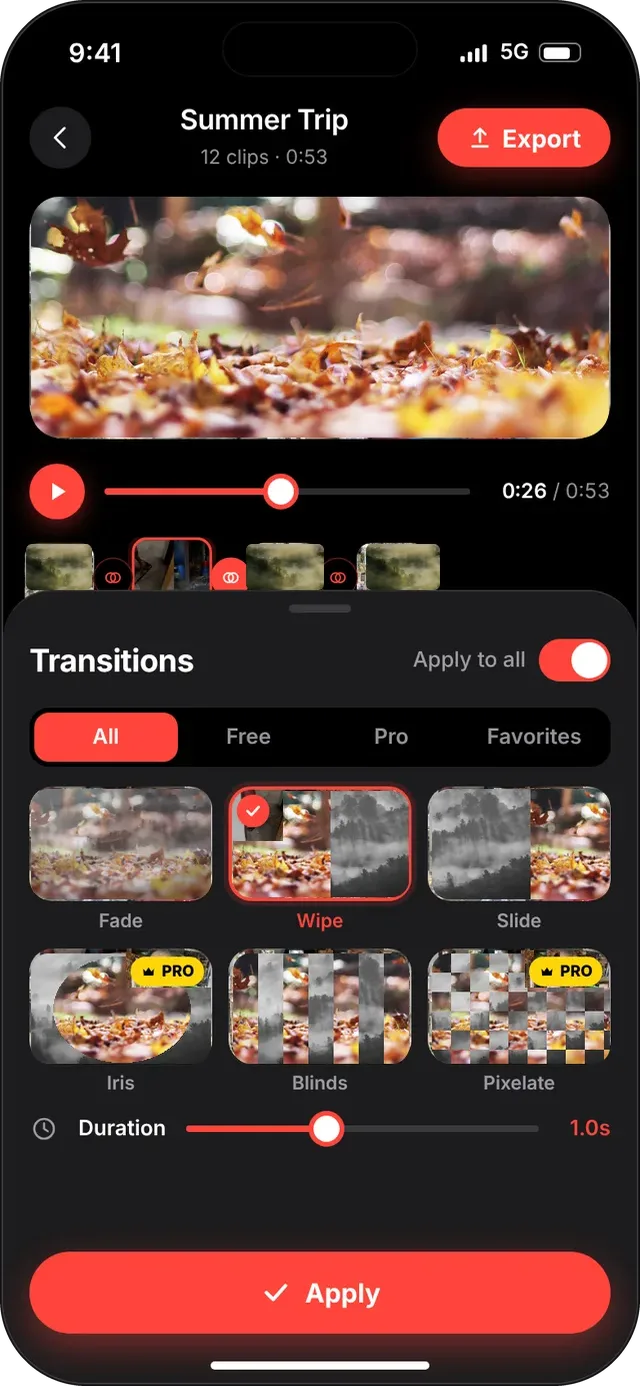
SlideshowVideoMaker screen: Transitions sheet
Transitions sheet
SlideshowVideoMaker screen: Template pack details
Template pack details
FEATURE 02

Multi-track timeline & clip editing

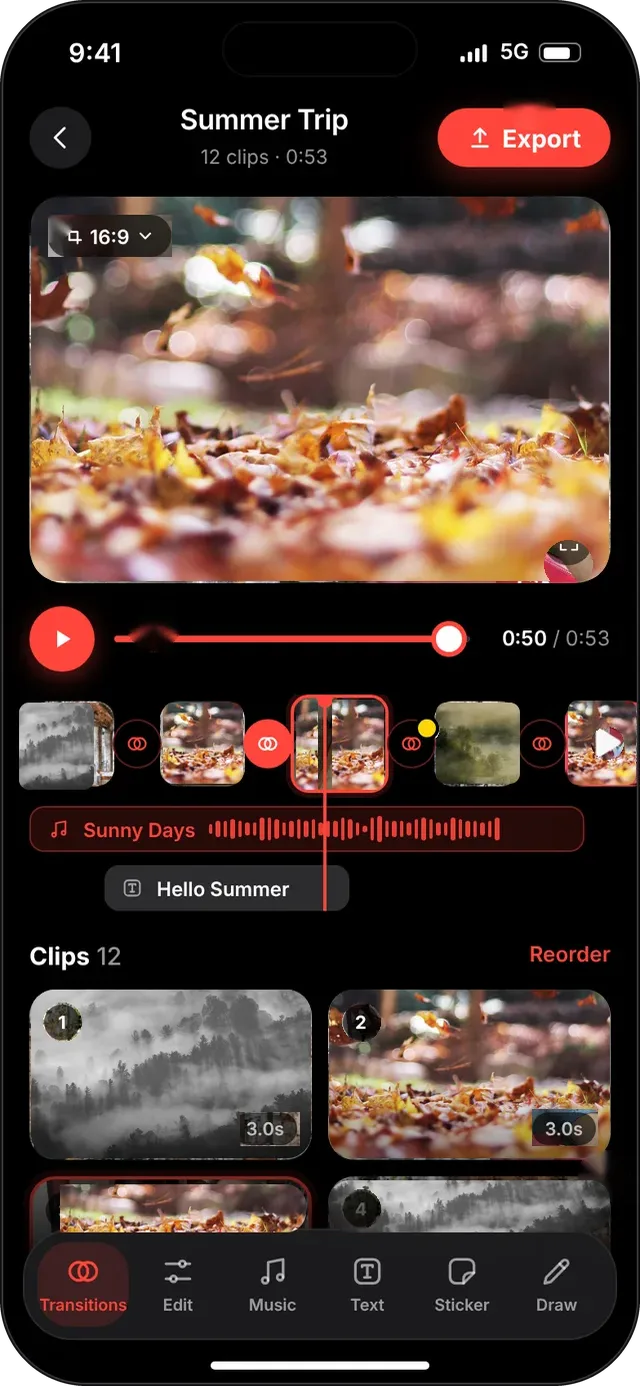
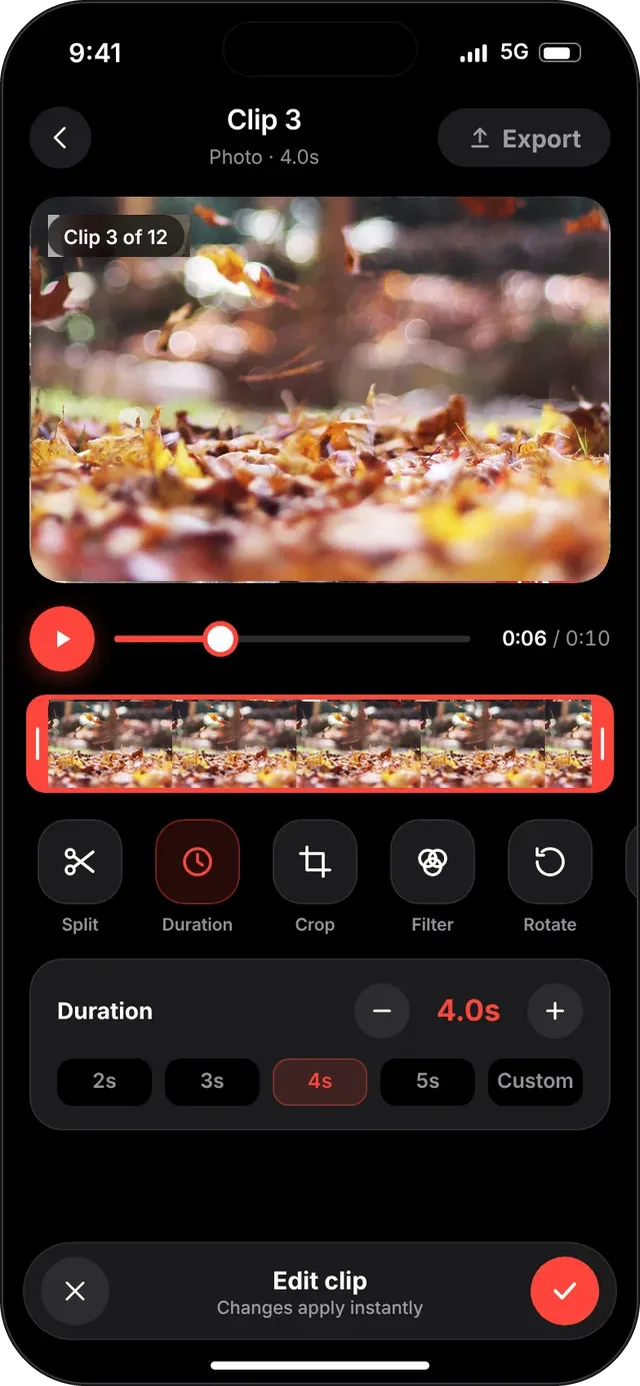
See your entire video at a glance. Trim, split, change a clip's duration, reorder slides and delete what you don't need.

  • Clips, transition nodes, music and text on timeline tracks
  • Quick actions: Split, Duration, Crop, Filter, Rotate
  • Duration presets (2s to 5s) or a custom value
  • Reorder clips and see the total length at all times
SlideshowVideoMaker screen: Editor
Editor
SlideshowVideoMaker screen: Clip editing
Clip editing
FEATURE 03

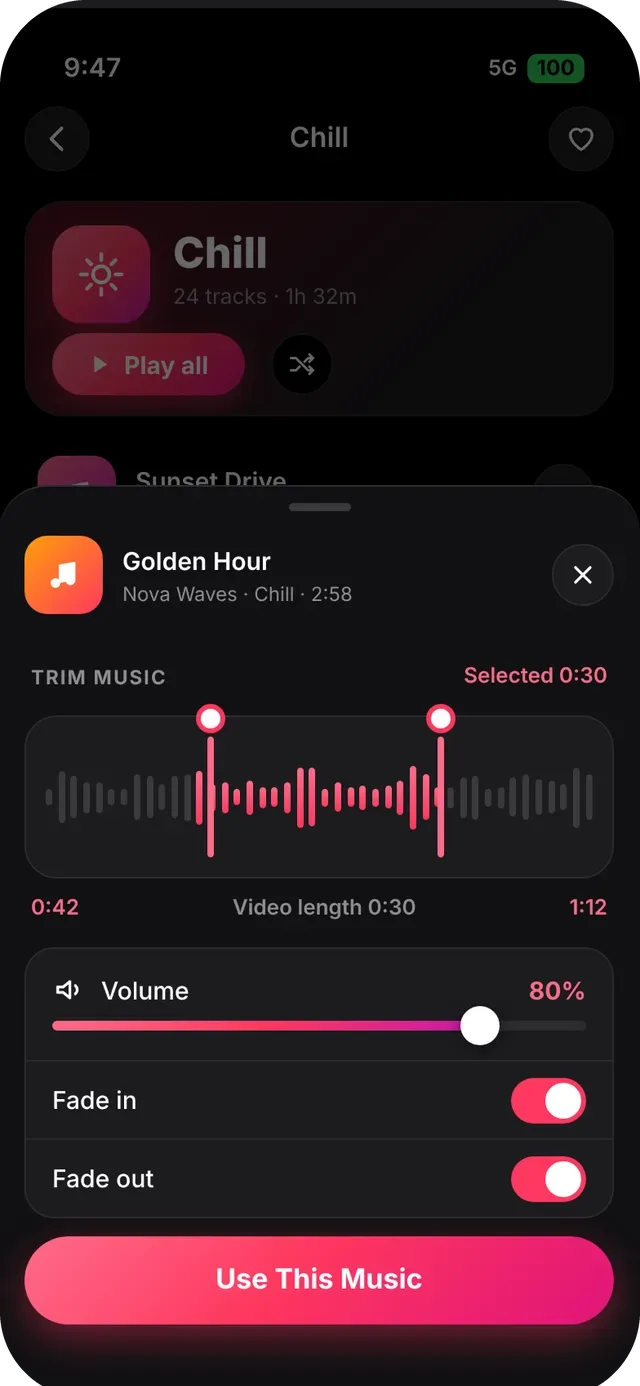
Music with search, trim & offline downloads

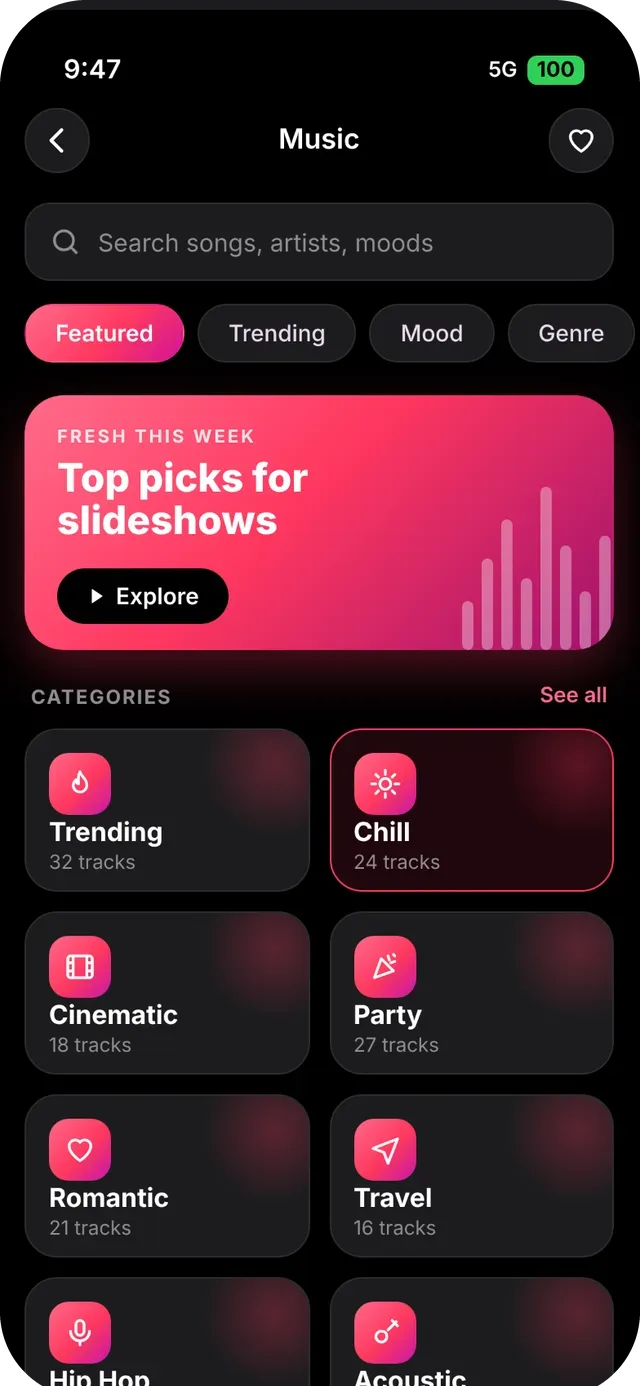
Bring your slideshow to life with sound. Browse music categories, search by mood, then choose the exact part of the song to use.

  • Categories such as Chill, Cinematic, Party, Romantic, Travel, Hip Hop and Acoustic
  • Search with recent searches and live suggestions
  • Trim & use: pick the part of the song, set volume, fade in and fade out
  • Download songs for offline use, and keep them in My Music
SlideshowVideoMaker screen: Music categories
Music categories
SlideshowVideoMaker screen: Trim & use
Trim & use
FEATURE 04

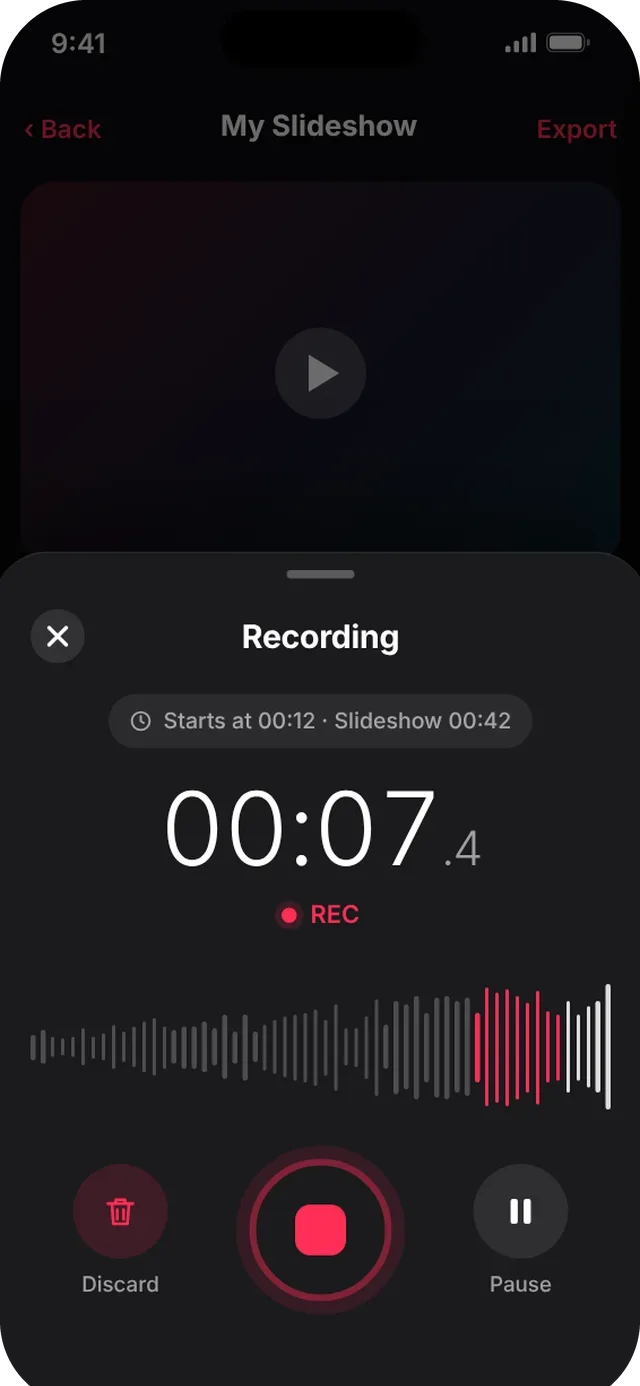
Voice recorder

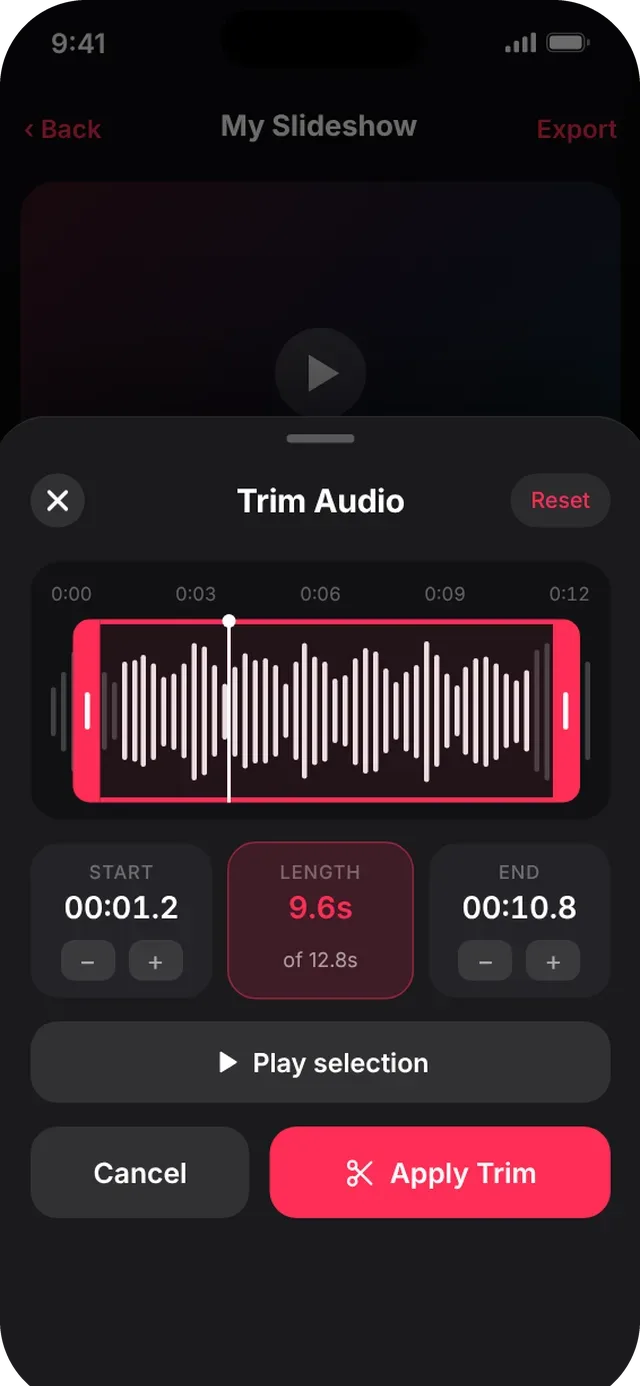
Narrate your slideshow. Record from the exact moment you choose, then review, trim and add the narration.

  • Starts at the playhead, with live waveform and a big record button
  • Pause, resume, discard or finish
  • Review, rename, set volume and re-record
  • Non-destructive trim with 0.1 s nudging
SlideshowVideoMaker screen: Recording
Recording
SlideshowVideoMaker screen: Trim audio
Trim audio
FEATURE 05

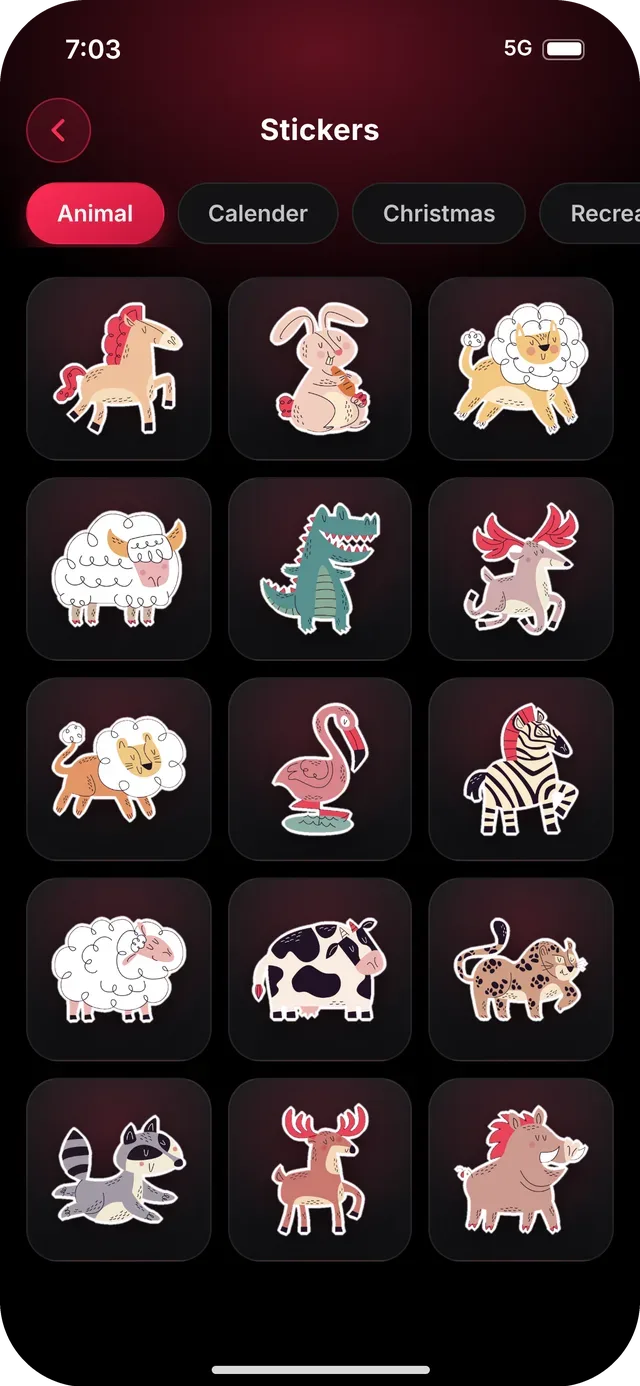
Stickers

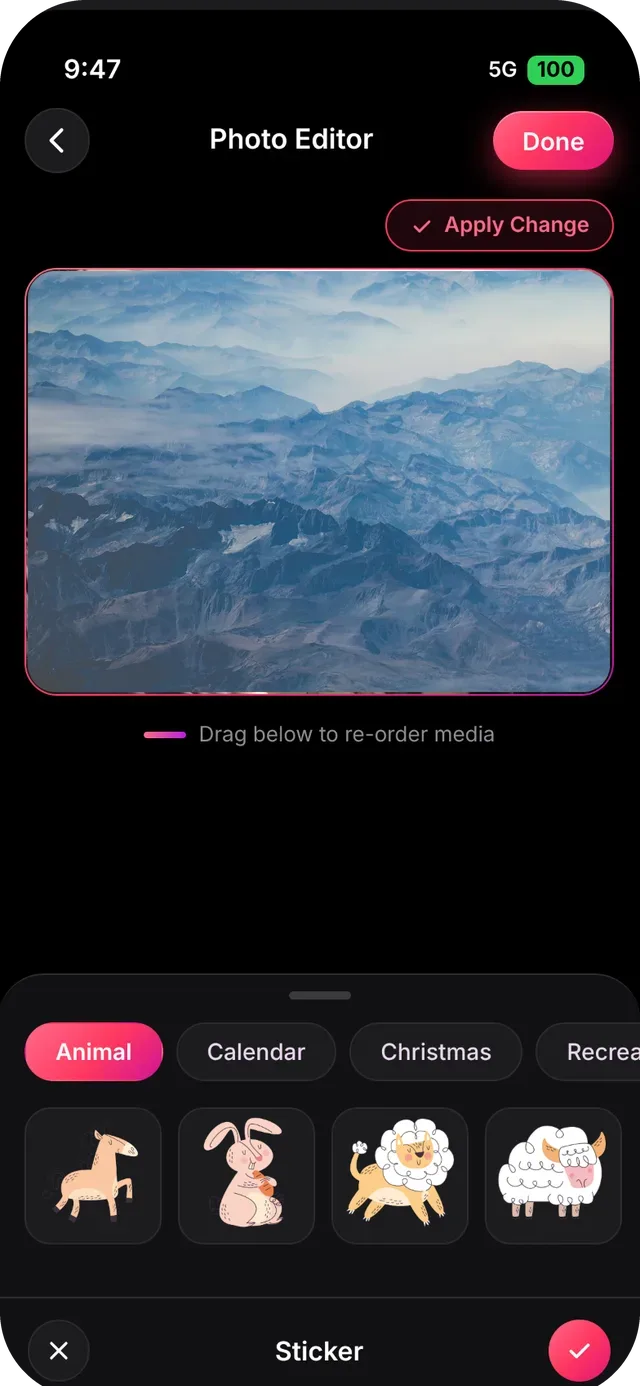
Add personality with 255 stickers in 11 collections: Animal, Calendar, Christmas, Recreation, Birthday, Love, Creative, Wedding, Nature, Relaxation and Food.

  • Drag, pinch and rotate to place
  • Set the on-screen time range for each sticker
  • Also available inside the photo editor
SlideshowVideoMaker screen: Sticker library
Sticker library
SlideshowVideoMaker screen: Stickers in the photo editor
Stickers in the photo editor
FEATURE 06

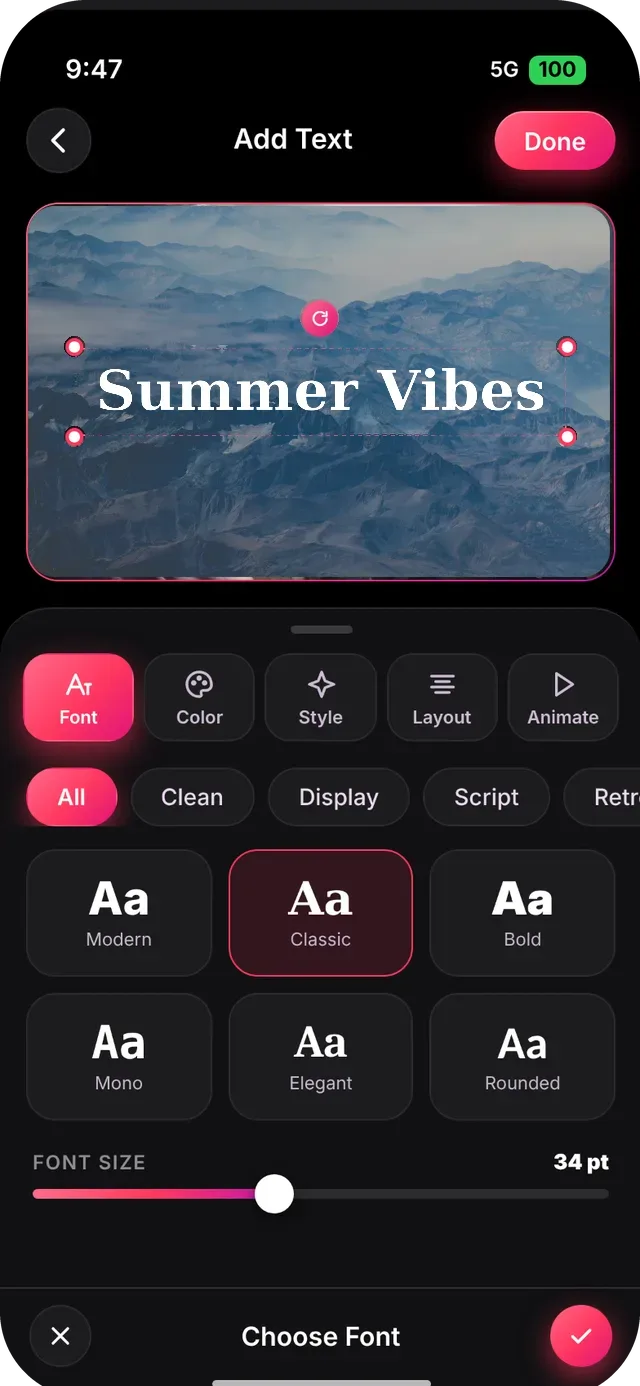
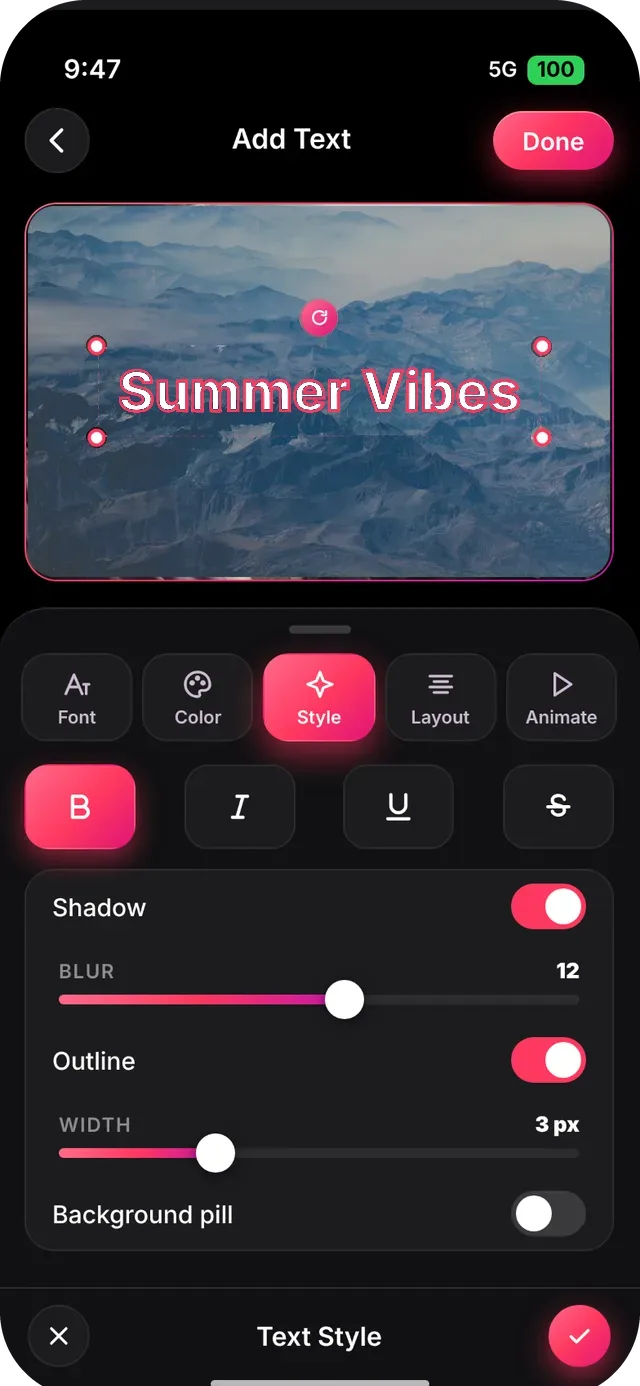
Text editor with 180+ fonts

Write titles and captions and style them exactly how you want, with live preview and one tab per job.

  • Font cards with category chips and a size slider
  • Solid or gradient color with hue and opacity
  • Bold, italic, underline, strikethrough, shadow, outline and background pill
  • Layout controls: alignment, size, letter spacing, line height, rotation
  • Entrance animations: Fade, Slide, Pop, Typewriter and Bounce, with start time and duration
SlideshowVideoMaker screen: Font
Font
SlideshowVideoMaker screen: Style
Style
FEATURE 07

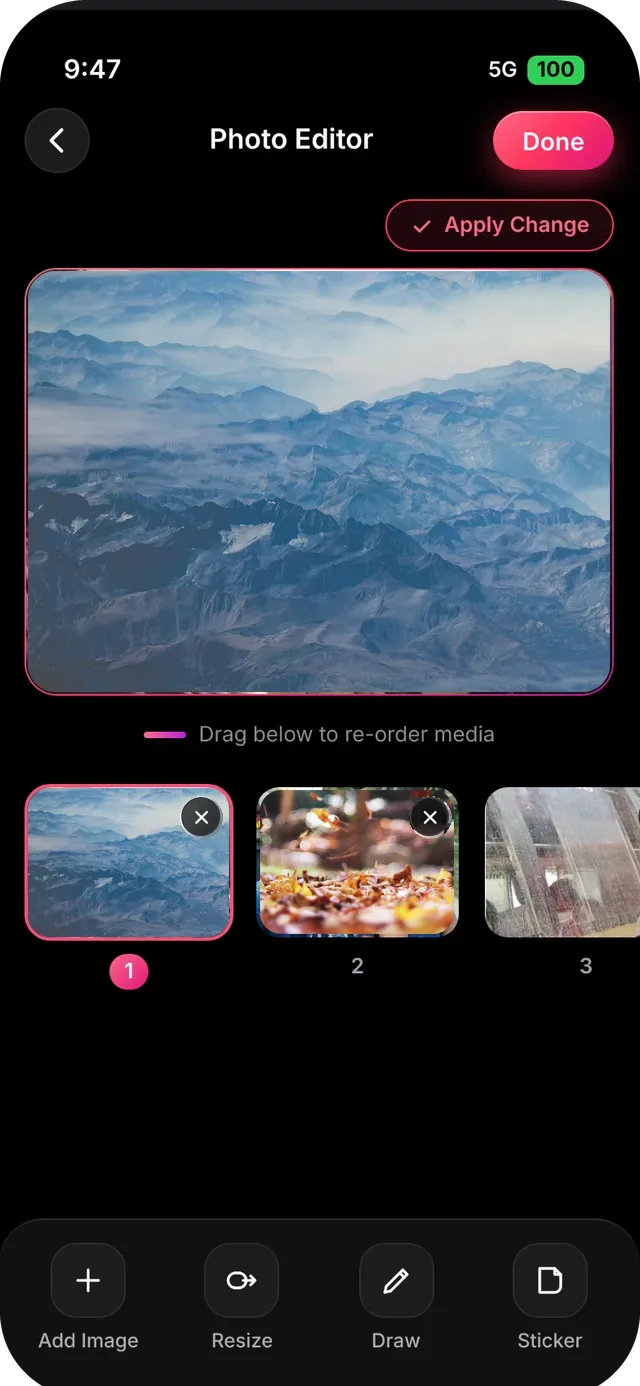
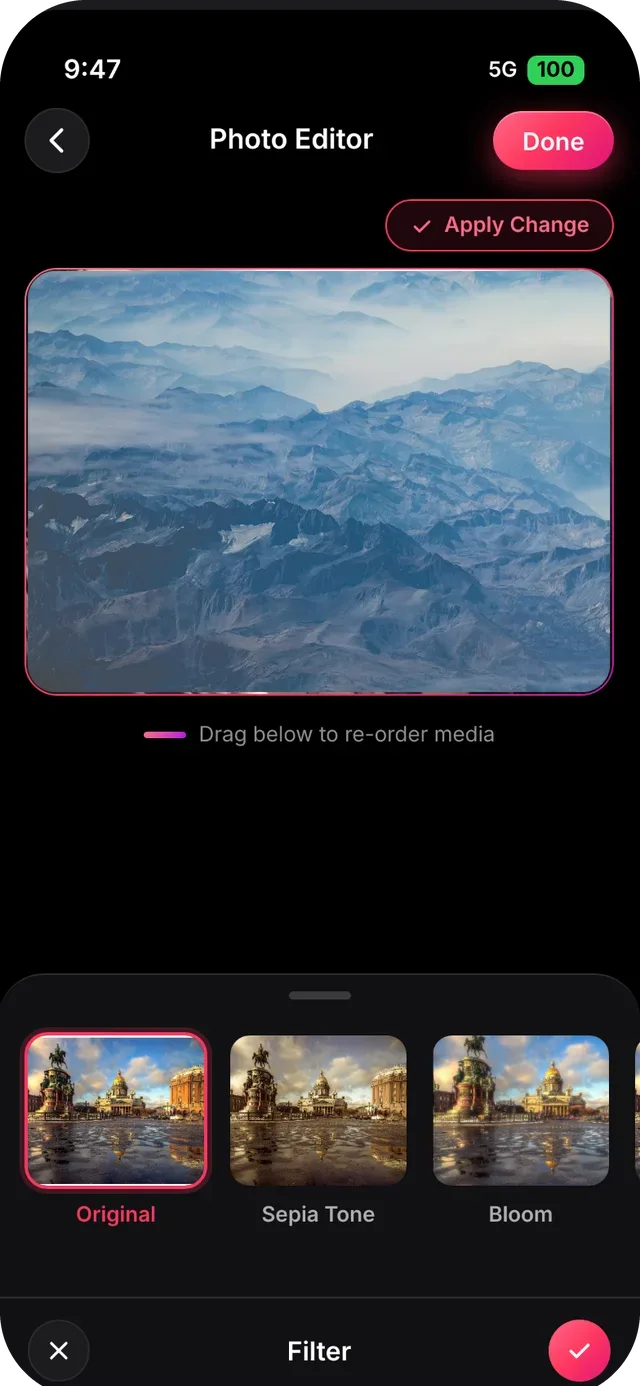
Photo editor

Perfect each photo before it joins your slideshow with the built-in photo editor.

  • Resize, Rotate (-180° to 180°, snaps to 5°) and Flip (left, right, top, bottom)
  • Filters: Original, Sepia Tone, Bloom and more
  • Draw with a brush and color row, and add stickers
  • Add Image and re-order photos from the thumbnail strip
SlideshowVideoMaker screen: Photo editor
Photo editor
SlideshowVideoMaker screen: Filters
Filters
FEATURE 08

Picture-in-Picture (PiP)

Overlay a video or photo on top of your slideshow, resize it, move it, and choose when it plays.

  • Add video or image overlays
  • Move and scale freely
  • Own timeline range
FEATURE 09

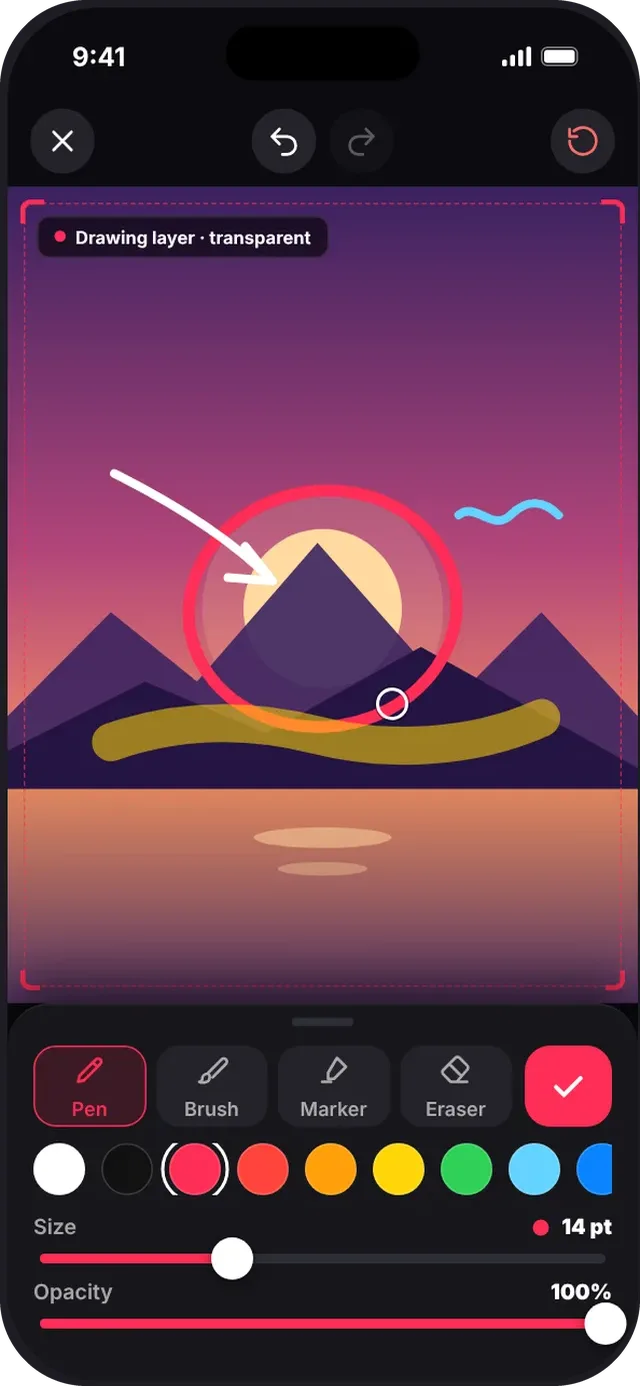
Drawing & annotation

Highlight, sketch and annotate directly on your photos and videos, then pick when each drawing shows.

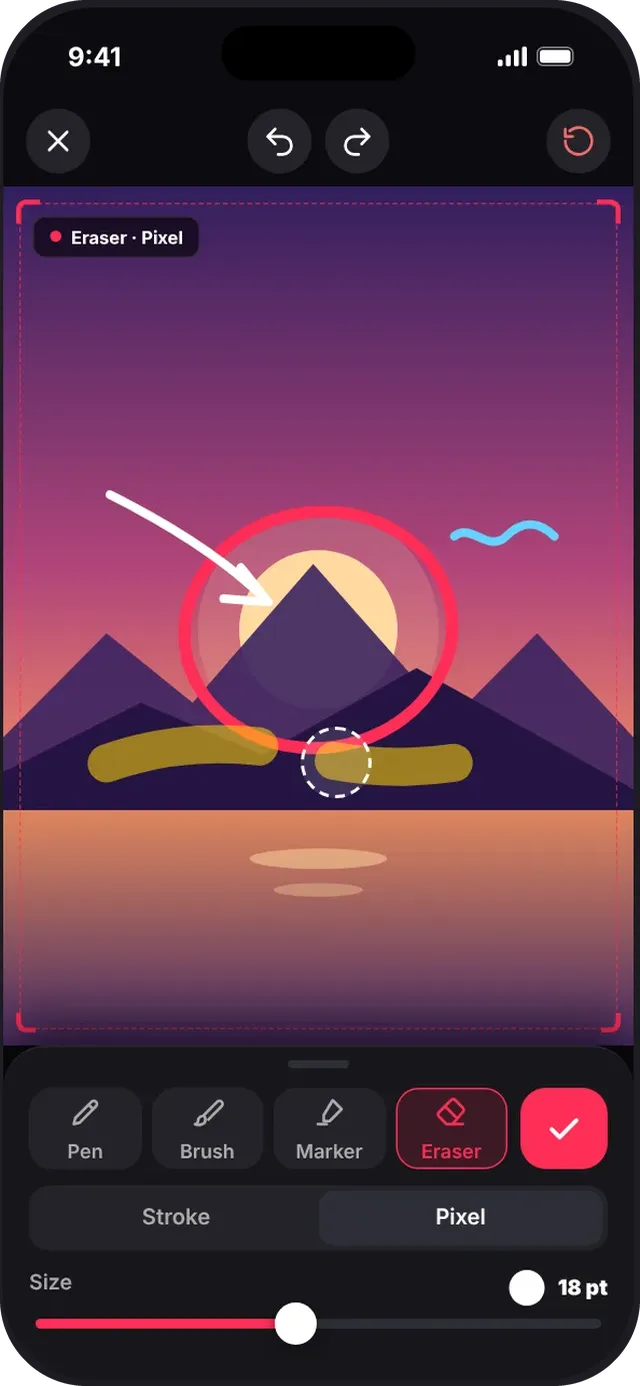
  • Pen, Brush, Marker and Eraser (Stroke or Pixel)
  • Color, size and opacity controls
  • Undo, Redo and Clear with an Undo toast
  • On video, scrub to the exact frame you want to mark up
SlideshowVideoMaker screen: Annotate a photo
Annotate a photo
SlideshowVideoMaker screen: Eraser modes
Eraser modes
FEATURE 10

Canvas presets & backgrounds

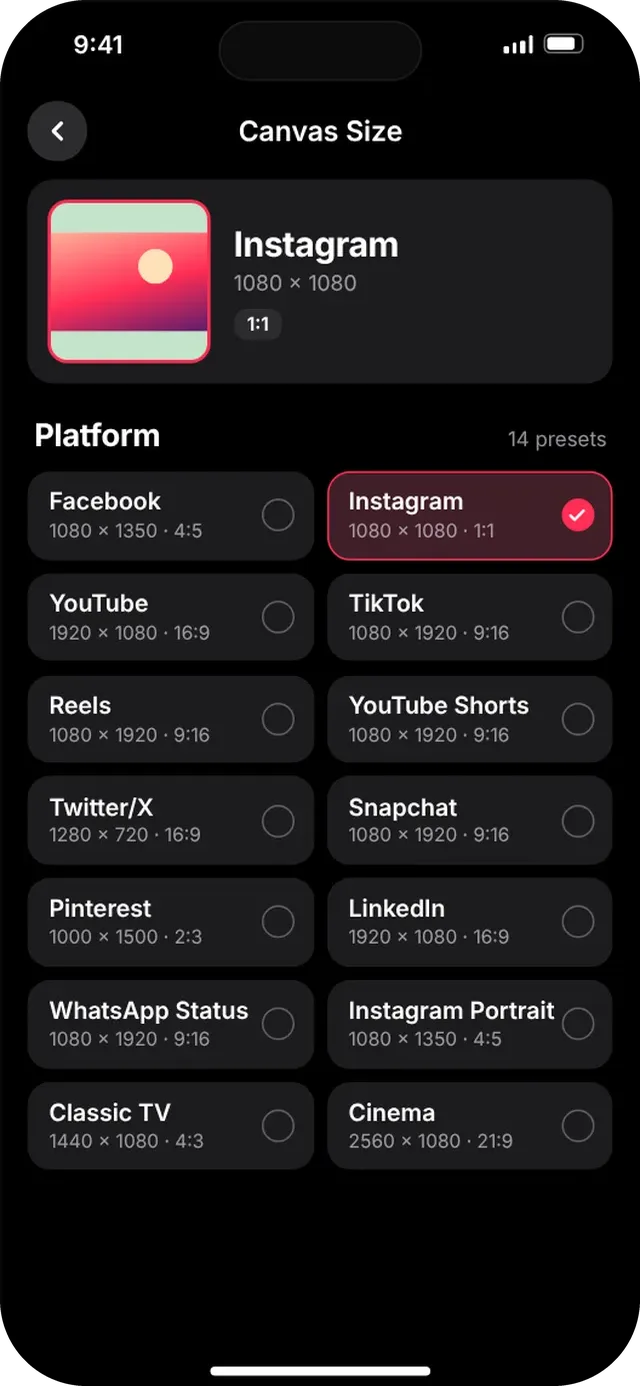
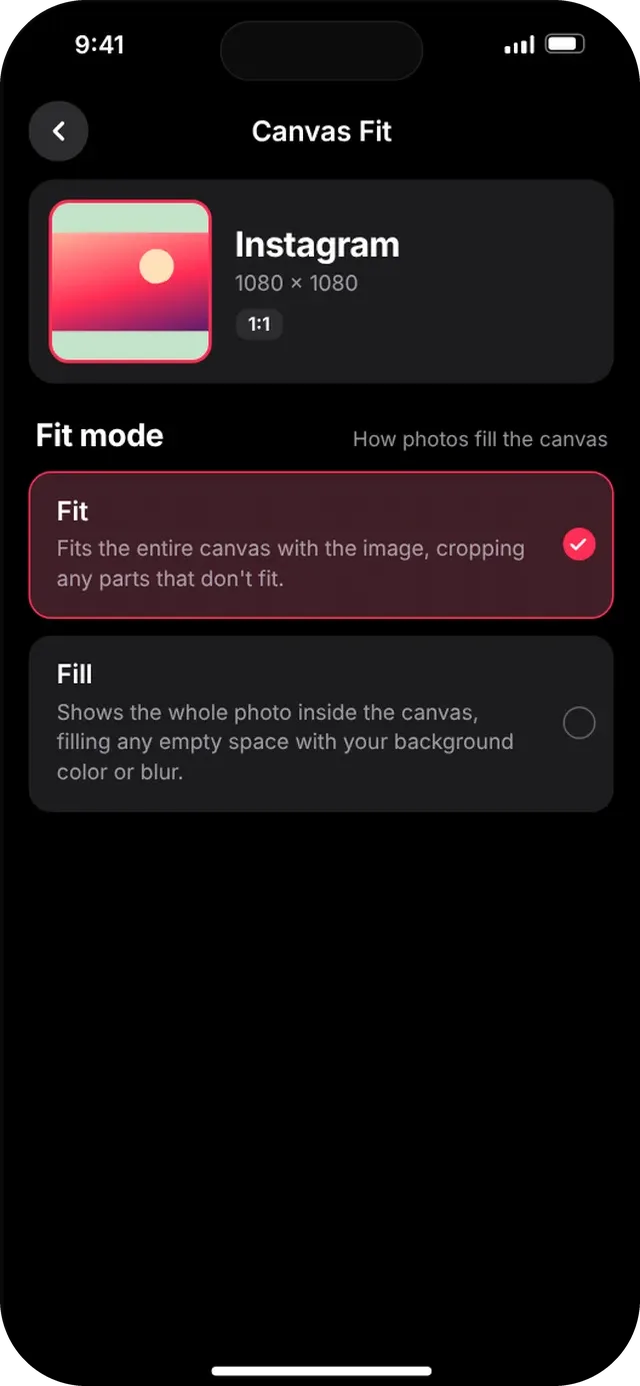
Pick the right shape for each platform and decide how photos fill it. Changes apply instantly.

  • 14 presets: Facebook, Instagram, YouTube, TikTok, Reels, YouTube Shorts, Twitter/X, Snapchat, Pinterest, LinkedIn, WhatsApp Status, Instagram Portrait, Classic TV and Cinema
  • Fit or Fill, with 12 background colors plus a custom picker
  • Blurred background option
  • Default photo duration from 0.5 to 10 s
SlideshowVideoMaker screen: Canvas Size
Canvas Size
SlideshowVideoMaker screen: Canvas Fit
Canvas Fit
FEATURE 11

Professional export

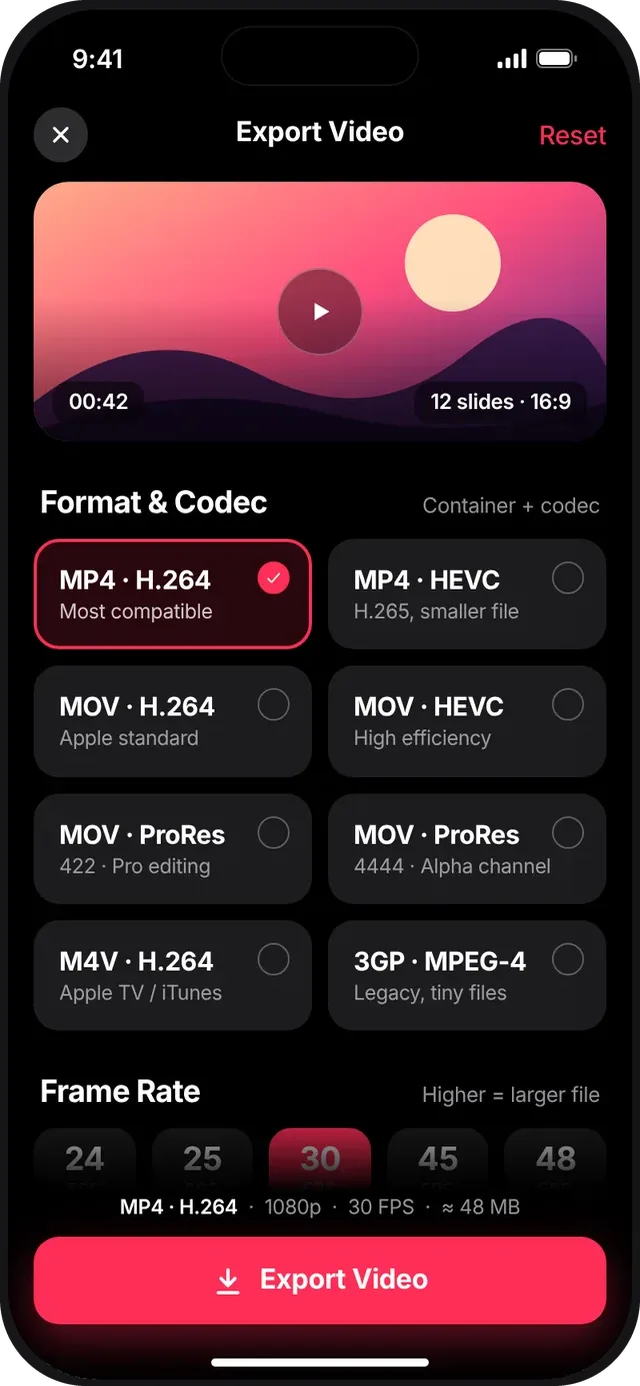
Export exactly what you need, from tiny share-ready clips to 4K masters, with a live file-size estimate.

  • MP4, MOV, M4V and 3GP containers
  • H.264, HEVC, ProRes (422 / 4444) and MPEG-4 codecs
  • 240p to 4K Ultra, 24 to 240 fps
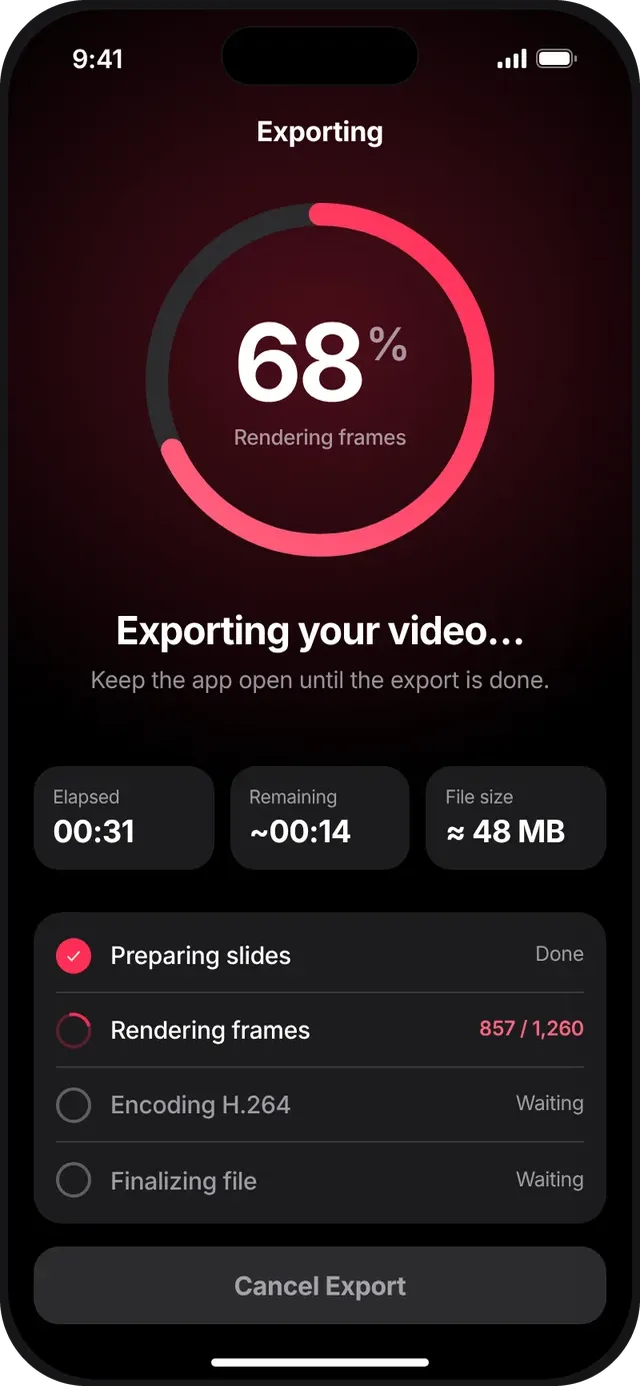
  • Live progress with time remaining, then Save to Photos or Share
SlideshowVideoMaker screen: Export settings
Export settings
SlideshowVideoMaker screen: Exporting
Exporting
FEATURE 12

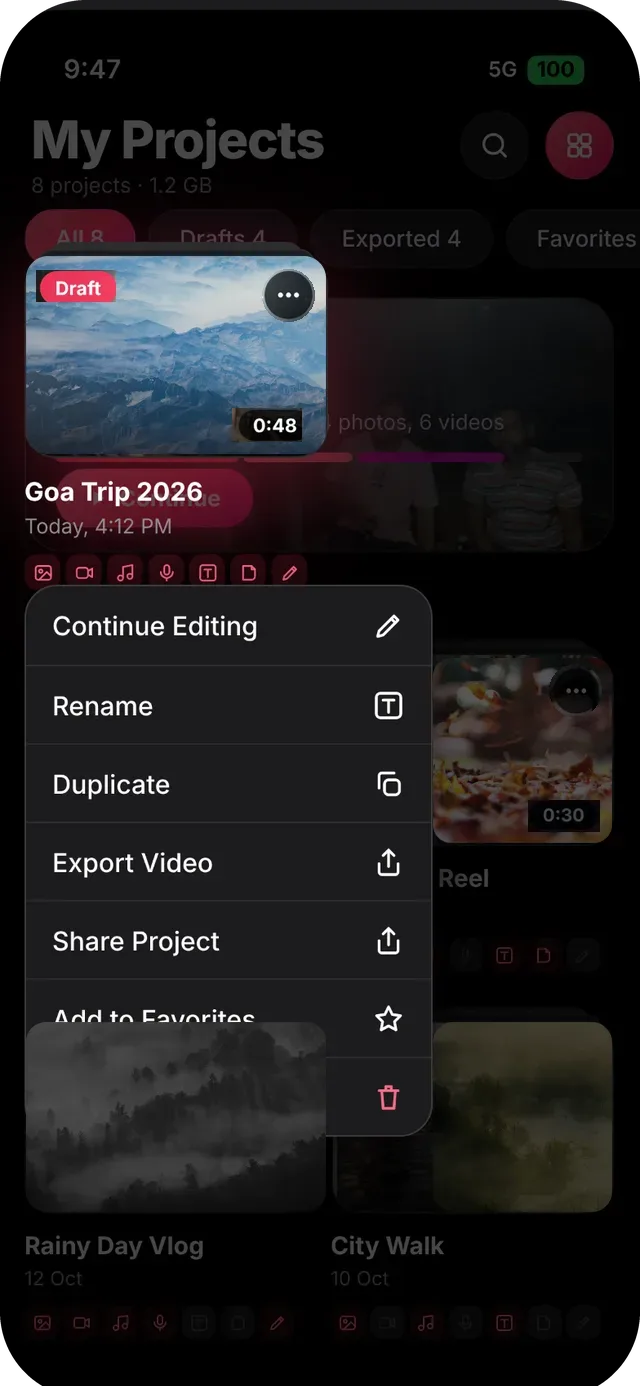
Projects, drafts & languages

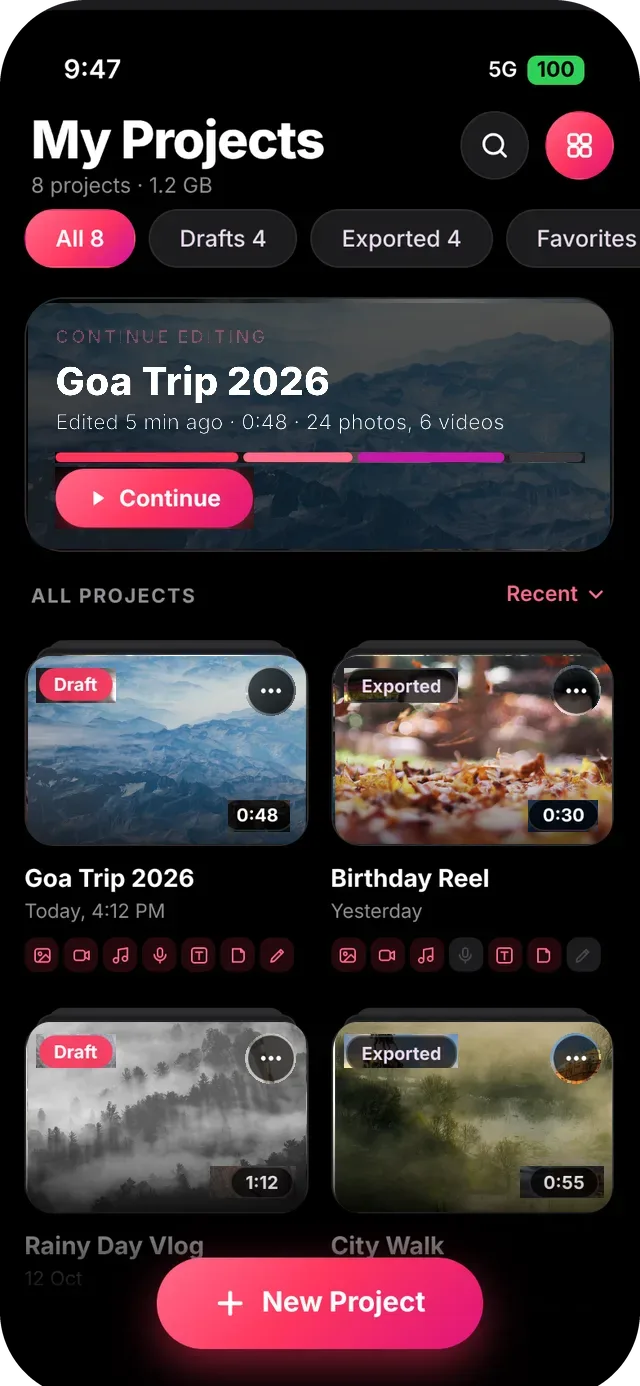
Your work is saved as a project so you can come back to it. Switch the interface to your own language.

  • Continue Editing card, Drafts / Exported / Favorites filters, grid or list
  • Long-press menu: rename, duplicate, export, share, favorite, delete
  • Select several projects for bulk actions
  • 18 interface languages
SlideshowVideoMaker screen: Projects grid
Projects grid
SlideshowVideoMaker screen: Quick menu
Quick menu
FEATURE 13

SlideshowVideoMaker Pro

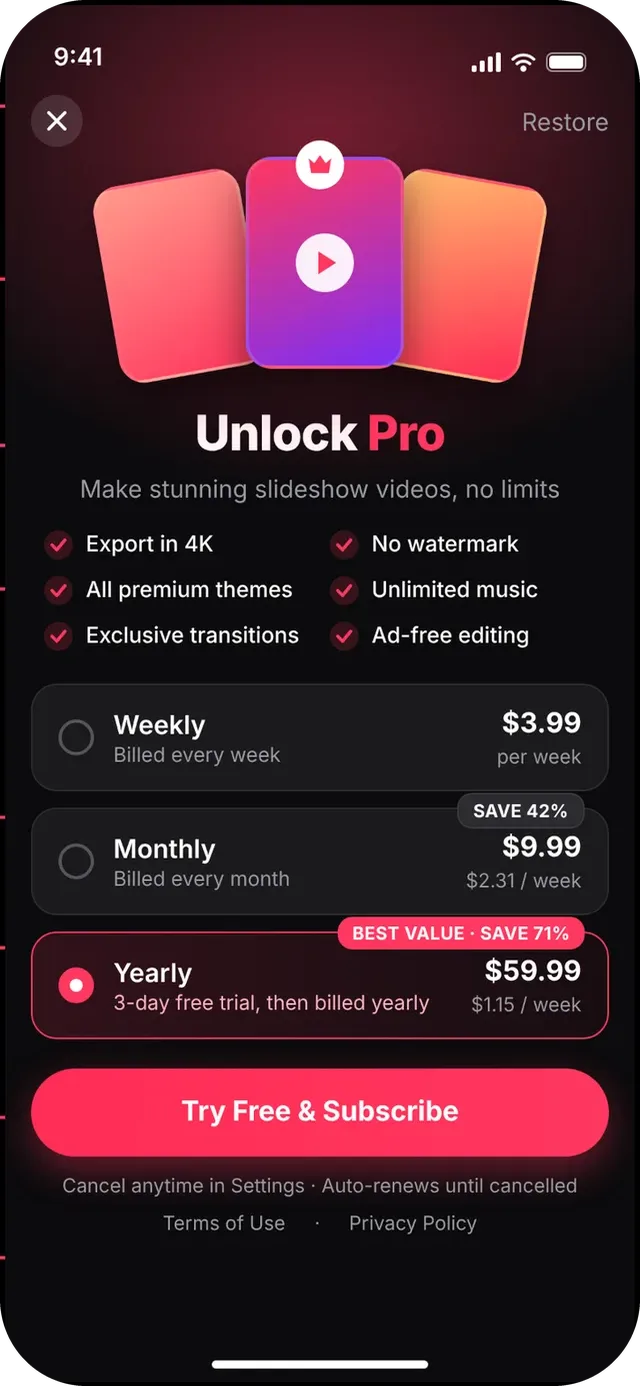
The app is free to download. Go Pro to unlock everything: 4K export, no watermark, all premium themes, unlimited music, exclusive transitions and ad-free editing.

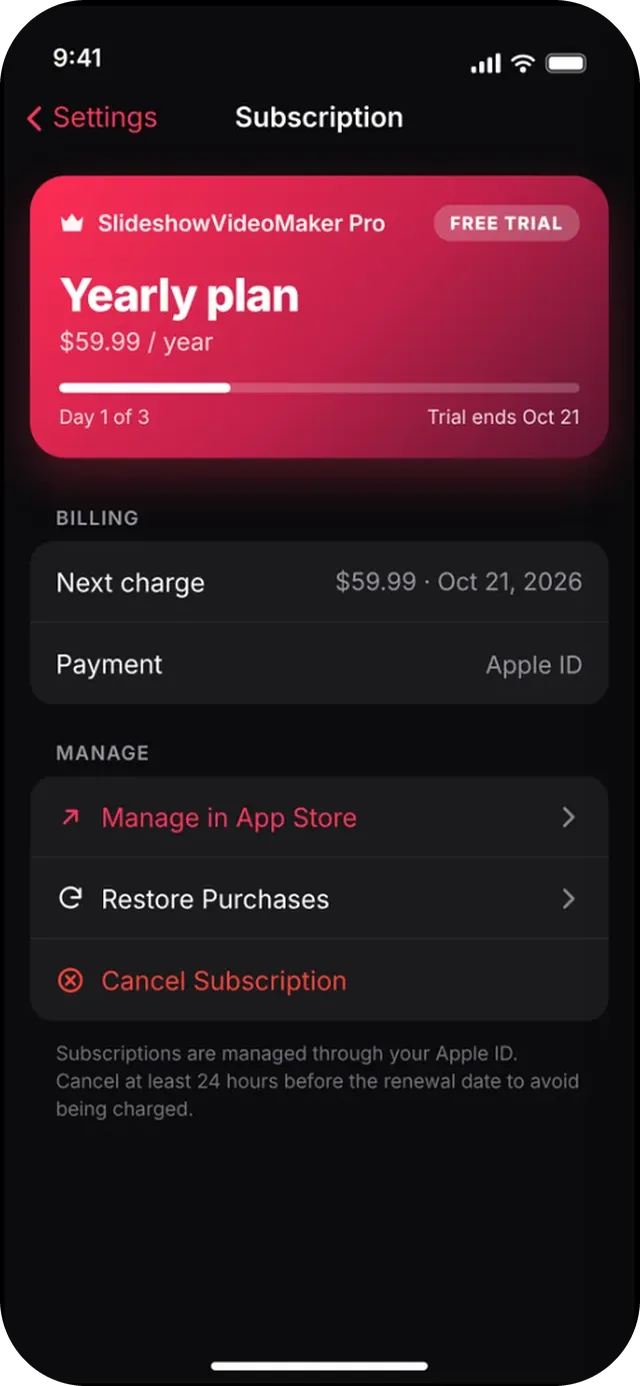
  • Weekly, monthly or yearly plans; yearly includes a 3-day free trial
  • Restore purchases and manage or cancel in a few taps
  • Clear states for success, failures, pending approval and billing issues
SlideshowVideoMaker screen: Pro paywall
Pro paywall
SlideshowVideoMaker screen: Manage your subscription
Manage your subscription

Ready to try every feature?

Free to download on iPhone and iPad.

Download on the App Store